24 Seamless Red Dot Patterns
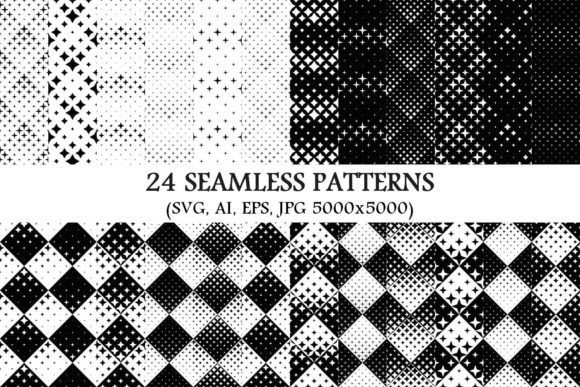
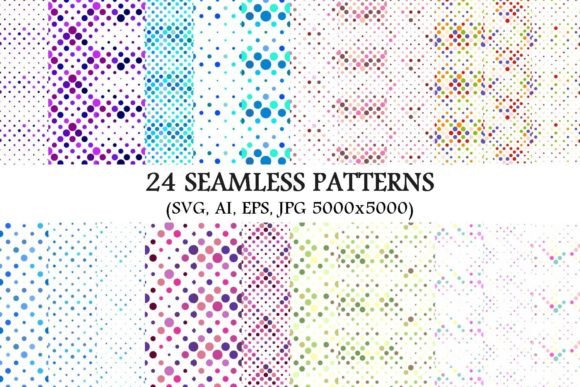
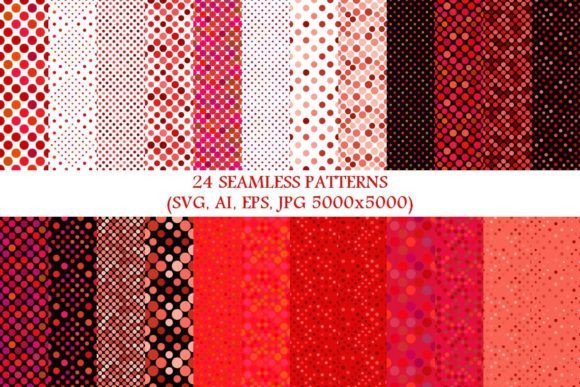
If you're designing anything — from social media posts and presentation slides to product packaging or classroom handouts — consistent, eye-catching backgrounds make a real difference. The 24 Seamless Red Dot Patterns collection gives you exactly that: 24 distinct, professionally crafted red dot designs that tile perfectly without visible seams or breaks.
Each pattern is built to repeat smoothly in any direction — left, right, up, or down — so whether you’re filling a business card or a full-size banner, the dots align cleanly every time. No awkward gaps. No mismatched edges. Just clean, confident repetition.
What’s Inside the Package?
This isn’t just a single file or a low-res download. You get 24 unique patterns, each delivered in four versatile formats:
- SVG — Perfect for web use, responsive design, and scaling without blur (ideal for websites, email headers, or digital ads).
- AI (Adobe Illustrator) — Fully editable vectors with layers and color swatches — great if you want to tweak spacing, size, or hue before exporting.
- EPS — Compatible with older design software and print workflows, especially useful for branding teams or print shops.
- JPG — High-resolution (5000×5000 pixels) raster files ready for immediate use in Canva, PowerPoint, Photoshop, or even printed materials like flyers or notebooks.
That means whether you use free tools like Photopea or professional suites like Adobe Creative Cloud, there’s a version that fits your workflow — no conversion headaches, no quality loss.
Why Red Dots? Why These Patterns?
Red is bold, energetic, and attention-grabbing — but it’s also highly versatile. Used thoughtfully, it conveys confidence, urgency, or warmth depending on context. These patterns balance that impact with subtlety: dots vary in size, spacing, and arrangement, so you can choose based on tone and purpose.
One pattern might feature tight, rhythmic clusters for a modern tech vibe. Another uses widely spaced, soft-edged dots for a gentle, playful feel. Some are monochrome red-on-white; others layer subtle gradients or transparency for depth. All 24 are distinct — no visual redundancy.
Real-Life Uses You’ll Recognize
You don’t need to be a designer to benefit. Here’s how people actually use these patterns:
- Bloggers & Educators — Create branded worksheet headers, printable flashcards, or slide decks that look cohesive and intentional (not generic or clip-art-y).
- Small Business Owners — Design custom packaging inserts, thank-you cards, or Instagram Story templates that reinforce brand identity — fast and affordably.
- Freelancers & Marketers — Build client-ready mockups for websites, app interfaces, or social feeds using red-dot backgrounds as subtle texture behind text or icons.
- Hobbyists & Crafters — Print fabric labels, laser-cut greeting cards, or vinyl decals — thanks to vector files, scaling stays crisp at any size.
- Students & Presenters — Elevate class projects or pitch decks with polished, non-distracting backdrops that keep focus on content.
Even something simple — like adding a red-dot background behind a quote graphic for Pinterest — makes your content stand out in crowded feeds. It signals care and consistency, not randomness.
Beginner-Friendly, Not Beginner-Limited
If you’ve never worked with patterns before, start small: open one of the JPG files in Canva or Google Slides, set it as a background, and adjust transparency to 10–20% for a soft watermark effect. That’s all it takes to add polish.
For those diving deeper: the AI and SVG files let you change colors in seconds — swap red for navy, burgundy, or coral to match your palette. You can also isolate individual dots to build custom icons or borders. There’s flexibility here, not rigidity.
Things to Keep in Mind Before Using
While these patterns are designed for broad compatibility, a few practical notes help avoid hiccups:
- Check your software’s vector support. Some free editors handle SVG well but struggle with AI or EPS. When in doubt, start with the JPG or SVG versions.
- Consider contrast and readability. Red-on-white works beautifully for most uses, but if placing light text over a dense dot pattern, try lowering opacity or choosing a sparser layout from the set.
- Think about scale. A tightly packed dot pattern may look busy on small screens or mobile thumbnails. For apps or social avatars, opt for larger-spaced versions — they hold up better when scaled down.
- Respect usage rights. This package is licensed for both personal and commercial use — including client work and physical products — with no attribution required. Just avoid reselling or redistributing the files themselves.
Also worth noting: because all 24 patterns are vector-based, they scale infinitely. Whether you’re printing a tiny sticker or wrapping a trade-show booth, clarity stays intact. No pixelation. No reworking needed.
A Practical Upgrade, Not an Overhaul
You don’t need to redesign your entire brand to benefit from the 24 Seamless Red Dot Patterns. Think of them as reliable, reusable tools — like a favorite font or a go-to color palette. They save time, reduce decision fatigue, and quietly raise the baseline of your visuals.
They’re especially helpful when you’re short on time but still want output that feels intentional. Instead of scrolling endlessly for “free background PNGs” (and landing on blurry, watermarked, or oddly cropped results), you open this folder and pick — then apply — in under a minute.
And because the collection includes such variety — from minimalist to lively, tight to airy — it grows with you. What works for your first Etsy shop banner may also suit your next conference presentation or nonprofit newsletter. It’s adaptable, not prescriptive.
Whether you're building your first website or refining a decade-old brand, having 24 seamless, high-quality red dot options on hand means more time creating — and less time troubleshooting backgrounds.