24 Seamless Dot Patterns for Designers & Creators
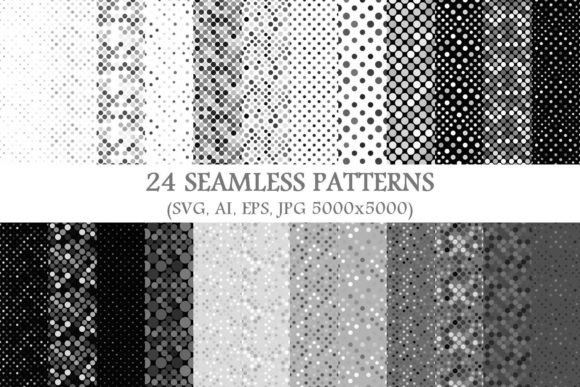
If you've ever spent time adjusting spacing, aligning dots manually, or struggling to tile a background without visible seams—you’ll appreciate what 24 Seamless Dot Patterns offers. This package delivers 24 clean, versatile dot-based designs—each engineered to repeat perfectly in any direction. No gaps. No misalignments. Just consistent, professional-grade patterns ready for real-world use.
What Makes These Dot Patterns Truly Seamless?
“Seamless” means the pattern repeats infinitely without visual breaks. Each of the 24 designs is built with precise mathematical alignment so that the right edge matches the left, and the top meets the bottom—exactly. That’s why they work flawlessly on websites, packaging, apparel, presentations, or large-format prints. Whether you’re scaling up a business card or filling a billboard, the rhythm stays intact.
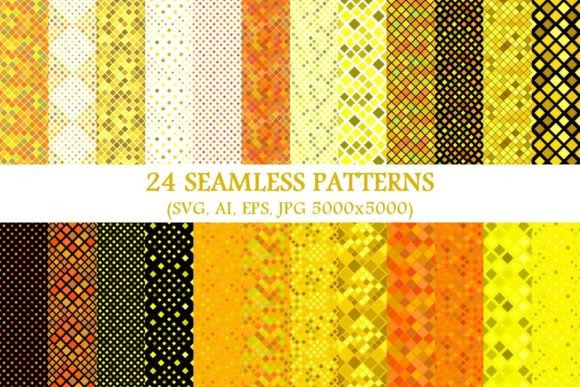
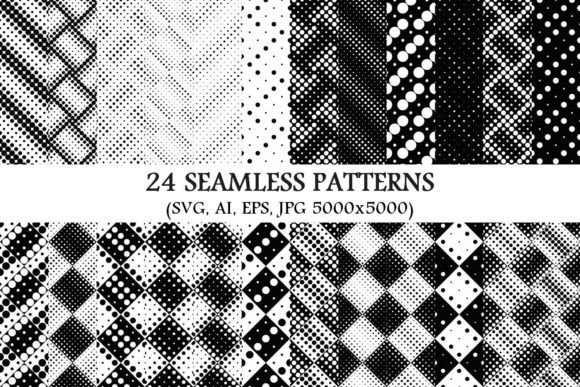
The package includes both 24 seamless monochrome dot pattern backgrounds and full-color variations—giving you flexibility across branding needs. Monochrome versions are especially useful when you need crisp contrast, accessibility compliance, or easy recoloring in design software.
Why Designers Reach for These Patterns Again and Again
Dot patterns strike a rare balance: minimal enough to feel modern and calm, yet detailed enough to add subtle texture and depth. They’re not distracting—but they’re never flat. That makes them ideal for projects where you want visual interest without competing with content.
For example, a freelance educator might use one of the lighter monochrome dot patterns as a soft background for printable worksheets—keeping text legible while adding gentle visual rhythm. A small business owner launching a new line of ceramic mugs could apply a tighter, bolder dot pattern to product labels for a tactile, handcrafted feel—even though it’s digital.
Formats That Fit Your Workflow—Not the Other Way Around
This isn’t just another JPEG pack. You get 24 vector SVG files, 24 vector AI files, 24 vector EPS files, and 24 high-res JPGs (5000×5000 pixels). That means:
- SVG works natively in web design, Figma, and modern browsers—ideal for responsive websites and interactive dashboards.
- AI and EPS give full editability in Adobe Illustrator and other vector tools—you can change colors, adjust spacing, or isolate individual dots if needed.
- JPGs at 5000×5000 provide exceptional clarity for print projects like posters, fabric swatches, or presentation decks—even when scaled large.
No more converting, no guesswork about resolution limits. You choose the format that fits your tool—and your timeline.
Real-World Uses Across Skill Levels
Beginners love these patterns because they’re plug-and-play. Upload an SVG to Canva or place a JPG into PowerPoint, and you’ve instantly elevated your layout. No design theory required—just drag, drop, and go.
Professionals use them differently: as base layers in brand systems, as texture overlays in UI mockups, or even as starting points for custom illustrations. One graphic designer recently used a sparse monochrome dot pattern as a subtle grid guide beneath typography—helping align headlines and body copy with quiet consistency.
Entrepreneurs building Shopify stores often apply a medium-density dot background behind hero section text—it adds dimension without overwhelming the call-to-action. Bloggers use lighter versions behind quote blocks or sidebar widgets to create visual breathing room.
Educators embed them into Google Slides templates for student-facing materials—adding cohesion across lessons without sacrificing readability.
Practical Considerations Before You Start
While these patterns are highly adaptable, a few thoughtful choices will help you get the most from them:
- Match density to context. Tighter dots suit small-scale items like app icons or social media avatars. Looser arrangements shine on wall graphics or textile designs.
- Test contrast early. Even monochrome patterns vary in tone—some are near-black, others soft charcoal or warm gray. Preview how they pair with your text color before finalizing layouts.
- Respect file type strengths. Don’t stretch a JPG beyond its native size for print—if you need scalability, use SVG, AI, or EPS instead.
- Think beyond “background.” Try layering a subtle dot pattern over photos for texture, using it as a clipping mask for shapes, or applying it as a stroke pattern in Illustrator.
How These Patterns Support Creative Confidence
Many people hesitate to use patterns—not because they don’t like them, but because they worry about looking unprofessional or dated. These 24 Seamless Dot Patterns avoid that trap. They’re designed with current aesthetics in mind: balanced spacing, refined proportions, and intentional restraint. There’s no visual noise—just purposeful repetition.
That sense of control matters. When you know a pattern will behave predictably—whether you’re resizing it 200% or tiling it across ten slides—you spend less time troubleshooting and more time expressing ideas.
It’s also worth noting: these aren’t generative or AI-made. Each was crafted by hand, then rigorously tested for seamlessness and versatility. That attention shows in how smoothly they integrate—whether you’re a hobbyist making greeting cards or a marketing team refreshing a brand’s digital assets.
Where to Begin—Without Overthinking It
Pick one pattern—not all 24. Open your favorite design tool. Try it as a background behind a headline. See how it feels with your brand font. Adjust opacity if needed. Swap colors using the vector files. Notice how the rhythm changes with spacing.
You don’t need to master every variation upfront. Start with what solves a current need: a cleaner slide deck, a more distinctive email header, a subtle texture for your Instagram story template. Let the patterns earn their place—naturally, quietly, effectively.
And because each comes in multiple formats and scales beautifully, you won’t outgrow them. As your skills grow or your projects evolve—from personal blogs to client presentations to printed merch—you’ll find new ways these 24 Seamless Dot Patterns support your work, not complicate it.