24 Seamless Grey Dot Patterns: A Practical Evaluation for Designers and Developers
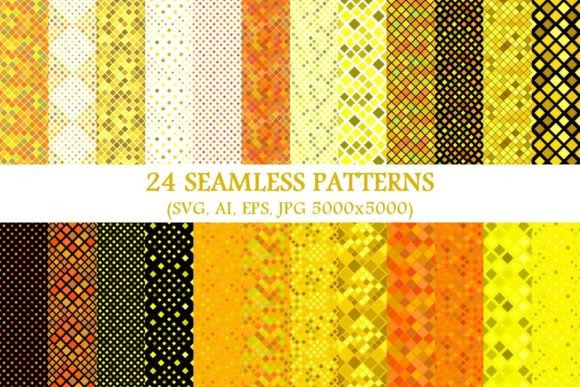
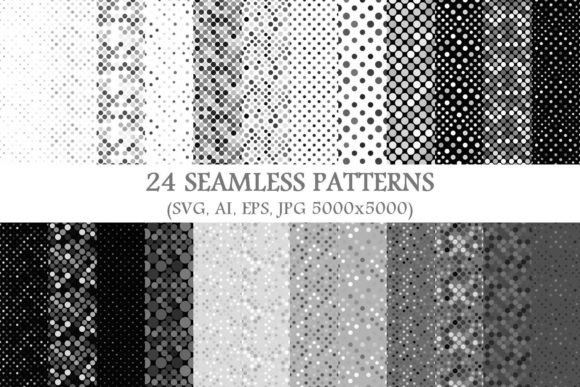
When selecting background assets for digital or print projects, consistency, scalability, and versatility matter. The 24 Seamless Grey Dot Patterns package offers a focused, high-fidelity collection built around a single, refined visual motif: evenly spaced, neutral grey dots rendered in multiple industry-standard formats. Unlike broad pattern bundles that mix textures, colors, and styles, this set maintains strict tonal and structural cohesion—making it especially useful when subtlety, repetition integrity, and cross-platform compatibility are priorities.
What Sets This Collection Apart
The core distinction lies in its intentional narrow scope. Each of the 24 patterns varies only in dot size, spacing (frequency), alignment (grid vs. staggered), and subtle opacity shifts—all within a restrained grey palette (ranging from light charcoal to warm mid-grey). There are no gradients, noise layers, or mixed elements. That restraint is deliberate: it supports predictable tiling, clean vector scaling, and minimal visual competition with foreground content.
Format coverage is comprehensive and production-ready: 24 vector SVG files (ideal for web use and responsive interfaces), 24 vector AI files (for Adobe Illustrator editing and layer preservation), 24 vector EPS files (for legacy print workflows and broader software compatibility), and 24 high-resolution JPGs (5000×5000 pixels, sRGB, suitable for mockups, presentations, or raster-based platforms where vector support isn’t available). This multi-format approach avoids forcing users into a single ecosystem—it accommodates designers working in Figma, developers embedding SVGs directly, print production teams requiring EPS, and marketers needing pixel-perfect JPGs for social or email templates.
How It Compares to Broader Pattern Libraries
Many designers begin their search with large, all-in-one pattern packs—some containing hundreds of designs across dozens of categories (geometric, organic, halftone, watercolor, etc.). While those offer variety, they often sacrifice consistency. For example, a “grey dot” option buried inside a 300-pattern bundle may be low-resolution, lack vector sources, or use inconsistent naming and metadata. In contrast, the 24 Seamless Grey Dot Patterns package delivers uniform quality control: every file is named logically (e.g., GreyDot_08_Spacing_24px_SVG), follows identical artboard dimensions, and maintains consistent color values across formats.
Compared to generating dot patterns on-the-fly using CSS (repeating-radial-gradient) or tools like Patternify, this package trades real-time flexibility for reliability. CSS patterns scale infinitely and adjust dynamically—but require coding knowledge, may render inconsistently across older browsers, and don’t support complex dot variations (e.g., dual-tone dots or variable opacity per row). The 24 Seamless Grey Dot Patterns eliminates guesswork: what you see in Illustrator is what prints, what displays in Chrome, and what embeds cleanly into Canva or PowerPoint.
Strengths and Real-World Fit
This collection excels in contexts where neutrality, professionalism, and quiet sophistication are goals—not decoration. Think corporate dashboards where data visualization needs breathing room; minimalist portfolio sites where typography and whitespace dominate; or internal documentation systems where visual hierarchy must remain uncluttered.
- UI/UX design: Use lighter dot patterns as subtle hover states or disabled-field backgrounds—more tactile than flat grey but less distracting than texture-heavy alternatives.
- Print collateral: EPS and high-res JPGs ensure crisp output at any scale—from business cards to wall-mounted signage—without moiré or aliasing.
- Branding systems: When developing a monochrome extension of an existing brand palette, these patterns provide tonal depth without introducing new hues.
- Education and training materials: Consistent, low-contrast backgrounds reduce cognitive load during long-form reading or slide-based instruction.
A designer building a financial services app might choose the medium-spacing, 12% opacity pattern as a background for dashboard cards—enough visual rhythm to separate sections, but not so prominent that it competes with charts or KPIs. Similarly, a university communications team could apply a tighter, higher-contrast dot pattern to PDF report headers—adding structure without overwhelming academic content.
Tradeoffs and Limitations
The most notable limitation is scope: if you need polka dots in navy blue, gold foil effects, or distressed halftones, this package won’t serve that need. It also doesn’t include editable source files for parametric adjustments (e.g., sliders to change dot radius or spacing in real time)—those require dedicated generative tools or custom scripting. And while the 5000×5000 JPGs are ample for most uses, ultra-large format printing (e.g., trade show backdrops exceeding 10,000 pixels wide) may benefit from custom-tiled exports rather than relying solely on single-file resolution.
Another consideration is workflow integration. If your team relies heavily on design system tokens or automated asset pipelines, manually managing 96 individual files (24 × 4 formats) may add overhead compared to a single, script-generated pattern library. However, for teams prioritizing auditability, version control, and direct file access—especially across mixed software environments—the explicit file count becomes an advantage, not a burden.
When to Choose This—And When to Look Elsewhere
The 24 Seamless Grey Dot Patterns is the right choice when:
- You’re finalizing a project with tight deadlines and need production-ready assets immediately—no testing, no rendering surprises.
- Your use case benefits from precise control over dot density and tone, rather than general “subtle texture.”
- Collaborators span different software ecosystems (e.g., marketing using JPGs in Mailchimp, developers pulling SVGs into React, printers requesting EPS).
- You value predictability over experimentation—e.g., maintaining brand consistency across 12 regional websites where each team applies the same pattern variant.
It’s less suited for:
- Projects requiring rapid iteration across many color variants—this set is grey-only, with no built-in recoloring logic.
- Experimental or artistic work where irregularity, randomness, or organic variation enhances meaning.
- Teams already invested in generative design tools and comfortable scripting custom dot behaviors (e.g., animated dot density changes on scroll).
- Situations where licensing restricts redistribution—even though these are royalty-free for commercial use, some enterprise contracts require additional legal review for bundled third-party assets.
Making an Informed Decision
Evaluating pattern resources isn’t just about counting files or checking format boxes. It’s about matching asset behavior to your constraints: technical (Can your CMS handle SVG uploads?), collaborative (Will your print vendor accept EPS from 2023 Illustrator versions?), aesthetic (Does “subtle” mean 5% opacity or 15%?), and operational (Do you need batch renaming, or is manual organization acceptable?).
The 24 Seamless Grey Dot Patterns answers a specific, common need with precision—not breadth. It assumes you’ve already decided that grey dots, not stripes or waves or grain, best support your layout’s function and tone. Within that frame, it removes ambiguity: every file works, every format is verified, and every pattern tiles without visible seams. That reliability has measurable value—especially when revisiting assets months later, onboarding new team members, or adapting designs across devices.
If your evaluation leads you toward broader exploration, consider comparing based on three criteria: consistency across formats, scalability without degradation, and ease of integration into your existing toolchain. Those aren’t marketing claims—they’re observable, testable attributes. Preview how a pattern renders at 200% zoom in Illustrator, open the SVG in a code editor to inspect path efficiency, or drop the JPG into a live webpage and check Lighthouse for unnecessary payload bloat. The 24 Seamless Grey Dot Patterns performs well across all three—but your project’s unique context determines whether that performance translates into meaningful time saved, fewer revisions, or stronger visual outcomes.