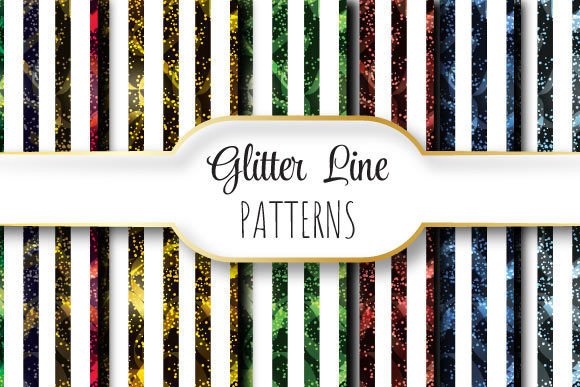
Glitter Line Patterns
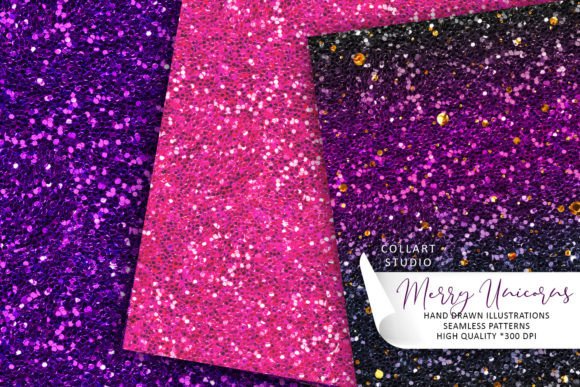
Glitter Line Patterns refer to a collection of professionally designed, seamlessly repeating vector and raster graphics optimized for high-resolution print and digital applications. Each pattern is built on a 12 × 12 inch (3600 × 3600 pixel) canvas at 300 dpi, ensuring crisp output for large-format printing such as signage, packaging, stationery, and textile design. The set includes one editable EPS 10 file — compatible with Adobe Illustrator and other vector-capable software — along with six JPEG previews in varying colorways or layout variations, all delivered in a single ZIP archive.
What Makes Glitter Line Patterns Distinct?
Unlike static glitter textures or one-off decorative elements, Glitter Line Patterns emphasize repetition without visible seams. This seamless tiling behavior means the design can be extended infinitely across surfaces without breaks, gaps, or alignment artifacts — a critical requirement for backgrounds, wrapping paper, web headers, or fabric repeats. The “line” aspect refers to the structural use of linear motifs — such as fine strokes, dashed borders, geometric grids, or rhythmic dash-dot sequences — overlaid or integrated with subtle glitter effects. These are not dense glitter fills, but rather disciplined, scalable patterns where sparkle serves rhythm and structure rather than overwhelming visual noise.
Why Consider Glitter Line Patterns?
Designers and production teams often seek balance between visual interest and technical reliability. Glitter Line Patterns respond to several practical needs:
- Print-ready consistency: At 300 dpi and 3600 × 3600 pixels, the JPEGs meet commercial print standards for up to 12-inch square outputs; the EPS file allows infinite scaling without quality loss.
- Workflow efficiency: A single EPS file supports global edits (e.g., color shifts, stroke weight adjustments), while JPEG variants offer quick preview options for client presentations or mood boards.
- Controlled texture application: Because the glitter effect is embedded within a line-based framework, it avoids the muddiness or moiré issues common with raster-heavy overlays on textured substrates.
Benefits and Realistic Tradeoffs
The primary benefit lies in predictability. Designers know exactly how the pattern behaves when tiled, recolored, or layered — especially important in branding systems where consistency across touchpoints matters. The EPS format preserves editability, supporting adjustments to line weight, spacing, or metallic tone before final output. JPEG files provide immediate usability in programs that don’t support EPS, such as certain CMS platforms or basic photo editors.
However, tradeoffs exist. The fixed 12 × 12 inch base size means users needing smaller-scale repeats (e.g., for embroidery or micro-printing) may need to resample or re-tile manually — the pattern itself doesn’t include alternate tile dimensions. Also, because the glitter effect is baked into the design (not applied as a separate layer or blending mode), modifying its intensity or direction requires vector editing skills and access to compatible software. Users relying solely on JPEGs lose the flexibility to adjust individual elements — those files are flattened previews only.
When Glitter Line Patterns Are a Strong Fit
This resource suits projects where precision, scalability, and controlled shimmer are priorities. Examples include:
- Creating branded stationery suites (letterheads, envelopes, business cards) requiring subtle, repeatable background texture;
- Designing luxury product packaging — particularly for cosmetics or premium beverages — where fine-line structure conveys elegance and glitter adds tactile suggestion;
- Developing web or app UI elements (e.g., section dividers, loading animations, or hover states) where SVG conversion from the EPS is feasible and lightweight;
- Preparing textile or wallpaper mockups for client approval, where accurate scale and seamlessness directly impact perception of professionalism and finish.
In each case, the user benefits from knowing the pattern will behave consistently across formats and sizes — reducing revision cycles and prepress surprises.
When Alternatives May Be More Appropriate
Glitter Line Patterns assume a baseline level of design control and intent. They are less suited for users who need:
- Dynamic glitter simulation: If realistic light reflection, particle variation, or animated shimmer is required — for example, in motion graphics or interactive prototypes — procedural shaders or dedicated glitter brushes in Photoshop or After Effects would offer more flexibility.
- Non-repeating or directional emphasis: Projects demanding focal-point hierarchy (e.g., editorial layouts where glitter should highlight only specific headlines) may benefit more from custom-drawn accents than a repeating field.
- Low-technical-barrier usage: Beginners unfamiliar with vector editing or tile setup may find the EPS file intimidating. In such cases, ready-to-use PNGs with transparent backgrounds or CSS-based gradient+noise combinations could lower the entry threshold.
- Extensive customization beyond color and scale: If the project calls for altering glitter density per region, adding gradients across the repeat, or integrating variable data, parametric tools like Adobe Substance Designer or scripting in Illustrator would provide deeper control.
Making an Informed Decision
To determine whether Glitter Line Patterns align with your goals, ask three questions:
- Is seamless tiling required? If your use case involves filling large areas without visible edges — such as wall murals, gift wrap, or continuous web banners — then a tested, tile-ready pattern saves time over building one from scratch.
- Do you have access to vector-editing tools and know how to use them? The EPS file unlocks the full value. Without that capability, reliance on JPEGs limits adaptability and may require additional asset creation later.
- Does your output medium benefit from structured glitter — not just sparkle for its own sake? If the goal is sophistication, rhythm, or brand-aligned restraint, line-integrated glitter supports that. If the goal is maximal visual impact or tactile realism, other approaches may deliver more appropriate results.
It’s also worth reviewing the included JPEG variants before purchase or licensing. Since they represent different interpretations — perhaps contrasting monochrome vs. duotone, tight vs. loose spacing, or matte vs. metallic emphasis — they help gauge whether the aesthetic range matches your project’s tone. No single variant replaces the others; instead, they serve as reference points for how the core EPS can be adapted.
Final Considerations
Glitter Line Patterns occupy a specific niche: technically sound, aesthetically measured, and production-aware. They do not replace illustration, photography, or generative tools — nor are they meant to. Instead, they fill a gap between off-the-shelf texture packs and fully bespoke pattern development. For designers balancing creative vision with delivery constraints, this kind of focused, well-documented asset reduces uncertainty without sacrificing quality. As with any design resource, its value emerges not from what it contains, but how deliberately it supports the decisions already underway in your workflow.